How thecard works
One card with your own wallet behind it. Press play to see where your money sits, who holds the key and how it reaches your card. The short version is below.
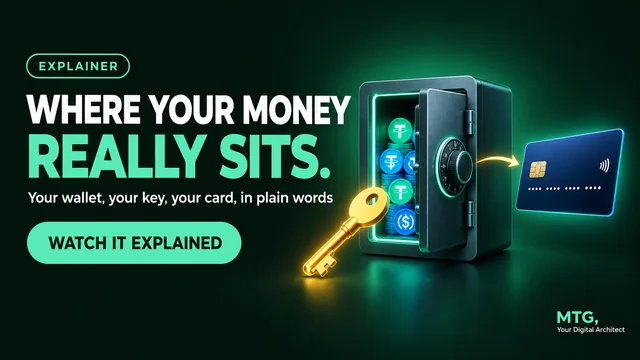 4:45
4:45
Watch it explained in under 5 minutes
Key moments in the video
- 0:00 Welcome: where does my money sit, and is it safe?
- 0:24 Two places: the safe at home and the card in your pocket
- 0:41 Your Dynamic Wallet is yours: non-custodial, on Fireblocks
- 0:58 Only you hold the key: export it, write it down, never share it
- 1:30 What goes in the safe: USDT and USDC stablecoins
- 1:41 Networks: BNB Smart Chain, Tron and Ethereum, and swapping other coins
- 1:56 No crypto yet? VALR or Binance, and BNB for network fees
- 2:06 Your card: a US dollar card account you can use anywhere
- 2:19 The top-up and the 3.9% fee, added on top
- 2:30 Where card money sits, and why you move only what you spend
- 2:44 Who is behind it: Malta, Singapore and Fireblocks
- 3:23 The whole flow, from exchange to payment
- 3:37 Quick recap
- 3:55 Your turn
- 4:19 Thank you
Read the transcript
Hi, my name is MTG, Your Digital Architect. Thank you for taking the time to watch this training. The first question almost everyone asks me about the Bellver Card is a good one. Where does my money actually sit? And is it safe? In the next few minutes, I'll show you exactly where your money lives, who holds the key, and how it moves from your wallet to your card. Let's get started.
Here's the big picture. Your money lives in two places. Place one: your Dynamic Wallet. Place two: your card. Think of your home. You keep your savings in a safe at home, and you only carry what you need for the week in your pocket. Your Dynamic Wallet is the safe. Your card is your pocket.
Let's open the safe. When you register, Bellver automatically creates a Dynamic Wallet for you. It runs on Fireblocks wallet technology. And it's non-custodial. That means the wallet belongs to you, not to Bellver. Bellver says it cannot freeze your wallet, and cannot touch your funds.
So what opens the safe? Your private key. Only you hold it. You can export it any time, and move your funds to another wallet if you ever want to. But here's where the safe example stops. A real safe has a locksmith. Your wallet does not. There's no bank to call if you lose your private key. So write it down, keep it offline, and never share it. Not with support, not with me, not with anyone. Then add a transaction password, and two-factor authentication, or a passkey. Tutorials 2 and 3 show you exactly how.
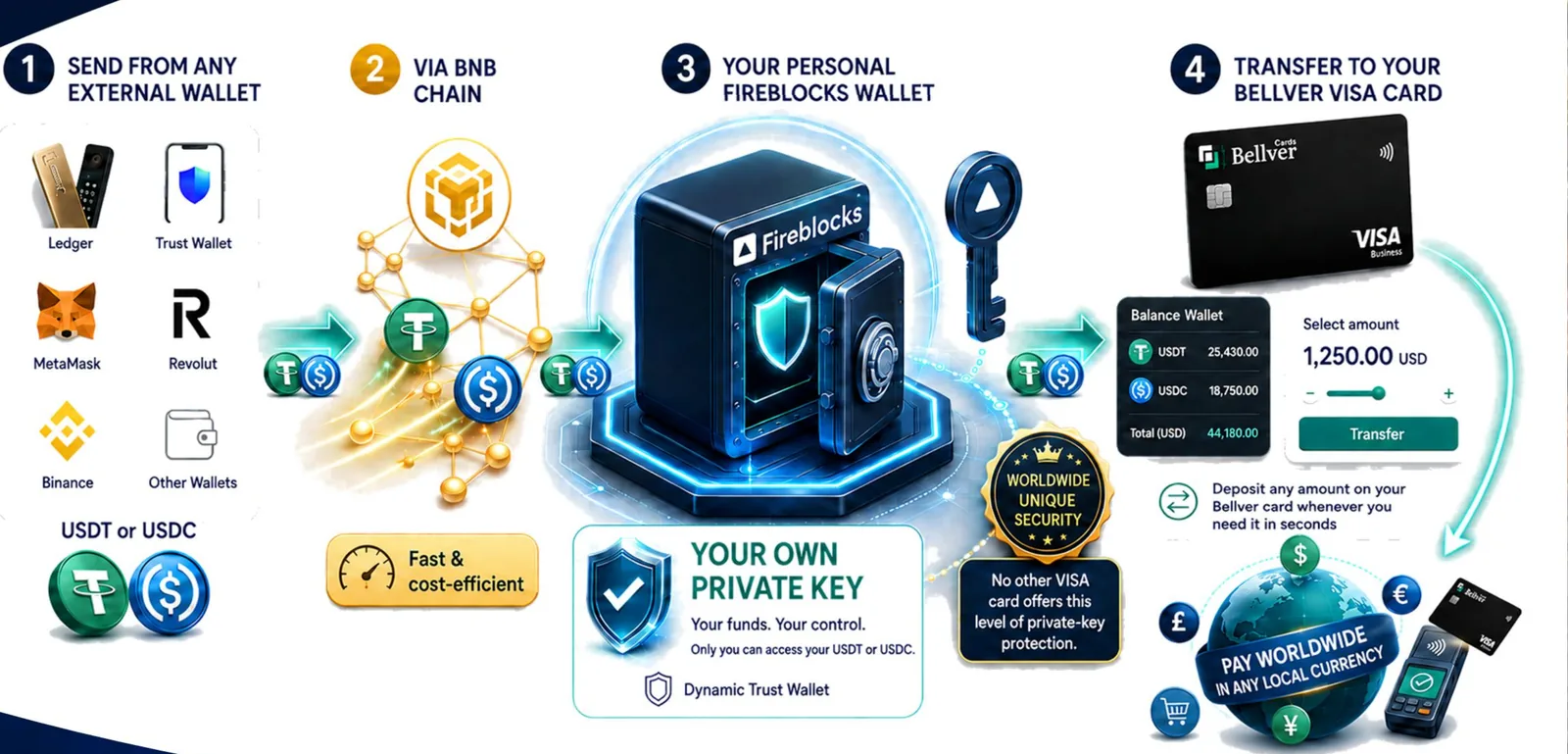
What goes into the safe? Stablecoins: USDT or USDC. A stablecoin is designed to stay worth about 1 US dollar, so your balance doesn't jump up and down like Bitcoin. Send them from any exchange or wallet. BNB Smart Chain is the recommended network, because it's cheap. Tron and Ethereum work too. Already hold Bitcoin, Ethereum or Solana? Deposit them, then swap to USDT or USDC inside your wallet. No crypto yet? Open an exchange account, like VALR in South Africa, or Binance in most other countries. And keep about $10 of BNB in your wallet, for network fees.
Now your pocket: the card. Your card is a US dollar card account. You can pay in shops and online, anywhere in the world, in the local currency. Money only reaches your card when you move it there. That's called a top-up. Each top-up has a 3.9% fee, added on top. Load $100, and $103.90 leaves your wallet. The minimum top-up is $10. Once money is on your card, it sits in your card account, with Bellver's card provider. So move only what you plan to spend, just like taking cash out of the safe for the week. Everything else stays in your wallet, under your own key.
So who's behind all this? Bellver Markets Limited, based in Malta, runs the program and the rewards. Bellver describes itself as the marketing company. It does not hold your money. The card is registered in Singapore, one of Asia's leading financial centres. At the launch webinar, Bellver's head of operations in Singapore said the card provider is licensed by the Monetary Authority of Singapore, and that the wallets run on Fireblocks. The platform launched as version 1.0 in September 2026, and improvements are still rolling out. Don't just trust me. Check the official documents and the launch webinar on my guide, then decide for yourself.
Let's put it all together. Your exchange sends USDT, on BNB Smart Chain, to your Dynamic Wallet. Your safe, your key. When you want to spend, you top up your card. Then you pay, with your card, your phone, or a ring.
Quick recap. Your money lives in two places: your wallet, and your card. Your wallet is yours alone, and only you hold the key. Fund it with USDT or USDC on BNB Smart Chain. Move to your card only what you plan to spend. And protect your private key like the keys to your house.
Well done. Now you know exactly where your money sits, and that puts you ahead of most people who ask. It's your turn. Open your dashboard, find your Dynamic Wallet, and check that your private key is backed up safely. And once you understand it, explain it to someone else. That's how we learn best. If you still have questions after watching this, contact me, or the business partner who shared this video with you.
Quick reminder: none of this is financial advice. Always do your own research. Thank you for tuning in, and for every like, share, and comment. Your support means everything. And thank yourself for taking massive action today to change your future! I wish you nothing but the best, because YOU are the best. I'm MTG, Your Digital Architect. See you on the next one. Let's Get This Crypto!
The card
A US dollar card account you fund with crypto and spend like any other card.
Pay worldwide
Pay in shops and online in any local currency. The card account itself is kept in US dollars.
Physical or virtual
The physical card is a Visa and the virtual card is a Mastercard. The physical card also works for cash at ATMs. The virtual card is ready as soon as you order.
Phone, ring or card
Add it to Apple Pay or Google Pay, or connect an NFC ring or wristband for tap-to-pay.
Your wallet. Your key.
- Your Dynamic Wallet is yours. Created when you register, on Fireblocks. Bellver says it cannot freeze or access your funds.
- Only you hold the private key. Export it any time.
- Move to the card only what you plan to spend. The rest stays under your key.
- Lock it twice: a transaction password, plus two-factor login or a passkey.
Ways to fund it
Card balances run on two stablecoins. Here is every way to get money in, from best to most expensive.
Best: USDT or USDC
Send from any wallet or exchange. BNB Smart Chain is the recommended network. Tron and Ethereum work too.
Other crypto
Bitcoin, Ethereum, BNB, Solana and other major coins can be deposited, then swapped to USDT or USDC in your wallet before you top up.
No crypto yet?
Use Buy crypto in the dashboard to pay by credit card. In Europe you can also pay by SEPA bank transfer or PayPal.
Referral links: I may earn a small reward if you sign up, at no extra cost to you.
Physical or virtual?
Both carry the same limits and the same rewards. The difference is how fast you get it and where you can use it. Watch it explained
| Virtual card | Physical card | |
|---|---|---|
| Ready to use | As soon as it is issued | After delivery. Bellver's terms allow up to four weeks; early users reported about five days |
| Shipping fee | None | $85 Europe, $149 rest of world |
| What you must give when ordering | No delivery details needed | A complete, accurate shipping address and a valid mobile number from the delivery country. The courier uses the number, and Bellver says it is not stored. If either is missing or wrong, the card cannot be delivered |
| Apple Pay and Google Pay | Yes | Yes |
| Best for | Starting today, phone and NFC ring payments | Cash withdrawals and places that ask for a plastic card |
| Online payments | Yes | Yes |
| Cash at ATMs | No | Yes, 2% fee |
The physical card is a Visa and the virtual card is a Mastercard.
Regular or Special Edition
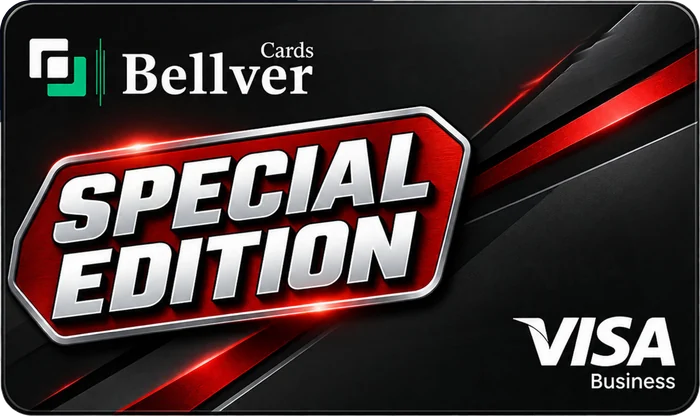
Every level comes as a Regular card. Choose the Special Edition when you buy and it is $370 on top. In Bellver's words, you get even more security and privacy, as a physical or virtual card. Already own a regular card? Upgrading it to the Special Edition costs $470.
- Available on Basic, Premium, Business and Gold
- Higher commissions when people you refer choose it: $150, $300 or $500
- Bellver has said it may not be offered forever
Who is behind it
- Bellver Markets Ltd, St Julian's, Malta: runs the program and the rewards. It describes itself as the marketing company and does not hold your money.
- The card is registered in Singapore. At the launch webinar Bellver said the card provider is licensed by the Monetary Authority of Singapore and the wallets run on Fireblocks.
- Version 1.0 launched in September 2026, with improvements still rolling out. Watch the launch webinar
Who the card suits
- Anyone who wants a crypto card with high limits
- People who pay or travel internationally
- Crypto holders who want to spend their stablecoins anywhere
- TikTok LIVE hosts, influencers and sales people with an audience
- Companies (cards can carry your company logo on request)
Not ready to order yet? Take the free checklist.
A two-page Bellver Starter Checklist: what to prepare, how to secure your wallet, how to fund it, which level to pick and the rules that decide whether you get paid. Message me on WhatsApp and I will send it to you personally.
- Free, no obligation
- Plain words, two pages
- Sent to you on WhatsApp

Stuck? I'll walk you through it.
I'm MTG. Message me on WhatsApp and I'll help you register, fund your wallet and choose the right card for you.